

In 2025, laptops are no longer just tools for typing documents or browsing the web — they’re powerful workstations, creative studios, media hubs, and productivity engines. Among these, one laptop that’s drawing a lot of attention is the MacBook Air M4. With a brand-new processor, improved performance, excellent battery life, and a more attractive price point, it promises to deliver “work and play” in a thin, light, elegant package.
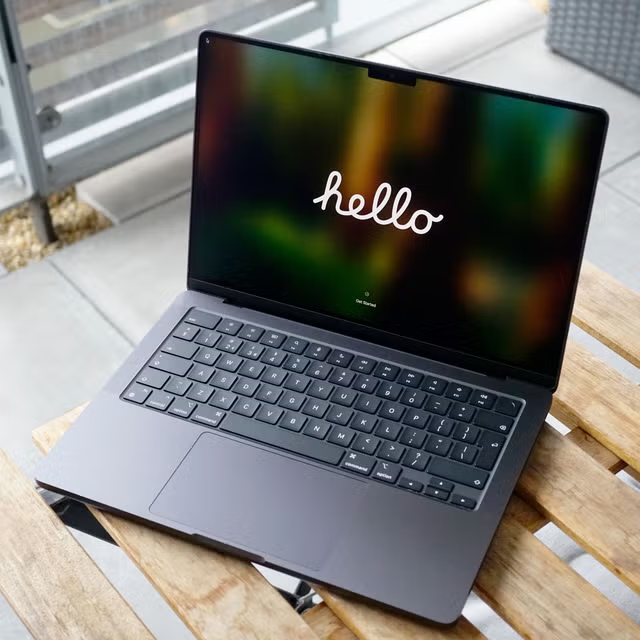
Whether you’re a student, a creative professional, a remote worker, or simply someone who values portability and performance — MacBook Air M4 aims to be a laptop that does it all. In this blog post, we’ll explore everything you need to know about it: from specs and daily use to pros and cons — and help you decide if this is the right MacBook for you.
What is the MacBook Air M4?
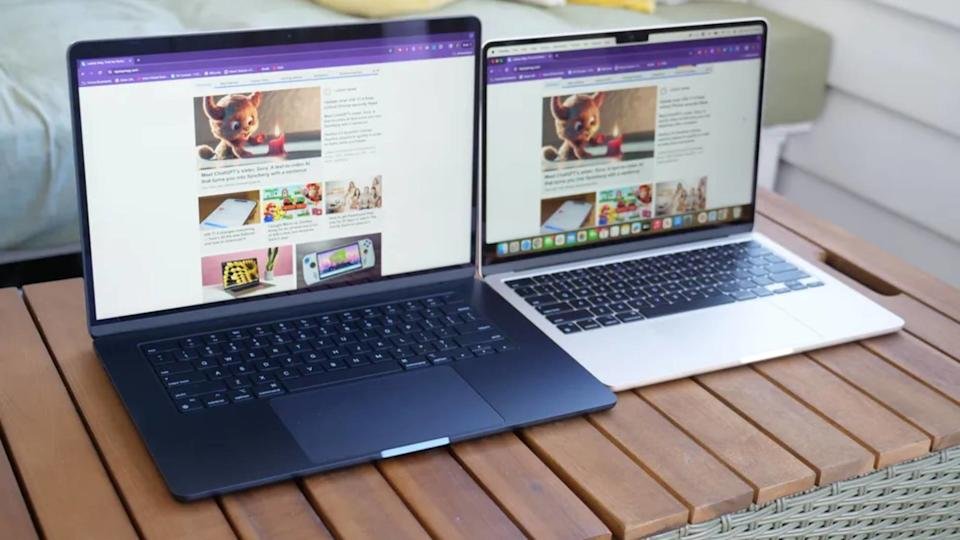
The MacBook Air M4 is the latest version of Apple’s iconic “Air” series, refreshed in 2025 with the powerful new Apple M4 chip. It comes in two sizes — 13-inch and 15-inch — and is designed to pack much more computing muscle than previous Air generations, while retaining the thinness, light weight, and portability that made MacBook Air popular.
In short: the MacBook Air M4 is Apple’s attempt to deliver a “do-everything, carry-anywhere” laptop: portable enough for travel or college, powerful enough for creative work, coding, editing, and productivity.
Key Specifications & What’s New
Here’s a quick overview of important specs and upgrades in MacBook Air M4 compared to older models:
| Spec / Feature | Details / Significance |
|---|---|
| Processor (Chip) | Apple M4: 10-core CPU (4 performance + 6 efficiency cores) |
| GPU Options | 8-core GPU (base) or 10-core GPU (higher config) |
| Memory (RAM) | Starts at 16 GB unified memory (base) — a big step up from many older entry-level laptops. |
| Storage | SSD storage, configurations typically start at 256 GB, also available with larger SSDs. |
| Display | 13.6-inch Liquid Retina (2560×1664) for 13-inch model; good quality display with accurate colours, crisp detail. |
| Models | Available as 13-inch and 15-inch models — giving buyers flexibility based on portability vs screen size needs. |
| Battery Life | Long battery life — Apple claims up to 18 hours under normal use, which matches MacBook Air’s legacy for portability. |
| Display Output / External Monitors | The M4 Air can support two external displays, which is a major plus for productivity and creative workflows. |
| Portability & Build | Thin, light, and sleek — retaining the “Air” identity: easy to carry around, ideal for students, travellers, professionals on the go. |
| Camera & Connectivity | Comes with improved webcam (12 MP Center Stage) and modern connectivity (USB-C / Thunderbolt, Wi-Fi, etc.) for meetings, video calls, etc. |
In short — the M4 version isn’t just a minor refresh, but a significant upgrade in performance, memory, display, and value proposition.
Performance & Real-World Use: What It Feels Like
Everyday Productivity & Work
For tasks like web browsing, document editing, spreadsheets, presentations, mail, meetings — MacBook Air M4 handles everything smoothly. The combination of a powerful M4 chip + 16 GB RAM ensures that multitasking across multiple apps or browser tabs is seamless.
Whether you’re a student writing essays, a professional working on reports, or someone managing remote work — the M4 Air feels snappy, responsive and efficient.
Creative Work, Media & Light Editing
Thanks to the improved GPU, unified memory, and efficient chip architecture, tasks like photo editing, light video editing, graphic design, and media consumption become feasible. The Retina display offers good colour accuracy — suitable for creative work, design prototypes, and content creation.
It may not be a “pro-level workstation” like a high-end MacBook Pro or dedicated PC, but for many creators, the M4 Air strikes a sweet balance between performance and portability.
Portability, Travel & On-the-Go Use
MacBook Air has always been synonymous with portability — and the M4 continues this tradition. Lightweight and slim, ideal for carrying in a backpack, travelling, working from cafés, libraries, co-working spaces or during commutes.
Battery life further enhances portability: you can get through a full workday (or long travel journey) without being tethered to a charger.
Productivity + Multi-Display Workflows
One standout feature: the ability to connect and drive two external displays (while the MacBook Air’s lid is open). For many users — especially those working with multiple windows, coding, designing, or editing — this turns the M4 Air from a mere laptop into a lightweight but versatile work-station.
Pros — Where MacBook Air M4 Excels
- Performance uplift with M4 chip: The M4 brings a powerful 10-core CPU/GPU combo, much better performance than older MacBook Air versions. Great for both daily tasks and more demanding workloads.
- Good memory & smooth multitasking: Base 16 GB unified memory ensures sufficient headroom for multitasking, creative work, light editing, and future-proofing.
- Excellent battery life: Up to 18 hours (per Apple’s claim), ideal for all-day use without charging — critical for students, professionals, travelers.
- Portability remains world-class: Thin, light, easy to carry — giving the flexibility to work anywhere.
- Support for dual external displays: Adds flexibility — turning it into a quasi-desktop workstation when needed.
- Modern display and design: Sharp Liquid Retina screen, good color accuracy, modern aesthetics, and multiple color options.
- Good value (price vs capabilities): Apple lowered the starting price compared to previous generation, making this powerful model more accessible for many users.
Cons & Limitations — What You Should Know
No laptop is perfect, and MacBook Air M4 comes with trade-offs. Here are some potential drawbacks — depending on your use case:
- Not a “Pro workstation”: While powerful for an Air model, for very heavy workloads like 4K/8K video editing, large 3D rendering, heavy virtualization, or professional-level content creation — it might not match a high-end MacBook Pro or desktop workstation.
- Base storage might feel limiting: Base SSD options (e.g. 256 GB) might fill up quickly if you store large files — creative projects, video, photos etc. For long-term usage, a larger SSD or external storage may be needed.
- Fewer ports than MacBook Pro or big laptops: As is typical with Air line — limited port selection, so you may need adapters or dongles if you require multiple external devices.
- Display refresh rate and tweaks: While the Retina display is excellent for productivity and media, it may not match high-refresh or high-performance displays meant for gaming or pro-level design.
- Not for very heavy gaming: The GPU is capable for productivity, media, light editing — but for heavy modern games or GPU-intensive workloads, a dedicated gaming laptop/desktop would still outperform.
Who Is the MacBook Air M4 For? — Ideal Users & Use Cases
Given its strengths and trade-offs, the MacBook Air M4 is most suited for:
- Students and academics — writing papers, research, note-taking, remote classes, presentations, general use.
- Remote workers, freelancers, digital nomads — portability + battery life + enough performance for multitasking, calls, documents, light creative work.
- Content creators & casual editors — photo editing, light video editing, design, productivity apps — especially if you prefer portability over heavy workstation.
- Professionals needing portability + power balance — consultants, business users, journalists, writers who travel, or need powerful yet light laptops.
- Anyone wanting a future-proof, well-rounded laptop — with good performance, memory, battery, display and portability — a balanced machine for years to come.
If you’re someone doing heavy 3D rendering, professional video production, or very resource-heavy tasks — you may still lean toward a “Pro”-level laptop, but for most users, M4 Air hits a “sweet spot.”
Price & Variants (India / Global)
- The MacBook Air M4 is available in both 13-inch and 15-inch variants.
- In India, the base model 13-inch M4 starts around ₹99,900 (with 16 GB RAM, base storage) — a competitive price for a premium Apple laptop.
- For those needing more storage or prefer larger display, the 15-inch variant or higher-config models are available — offering flexibility depending on needs.
This makes the MacBook Air M4 not just a “premium/high-end” product — but a viable, value-for-money investment for many prospective users.
Verdict: Is the MacBook Air M4 Worth Buying in 2025?
My conclusion — Yes, with a strong recommendation.
MacBook Air M4 represents one of the best “balanced” laptops currently on the market — combining portability, power, modern hardware, battery life, and a refreshed value proposition. For a huge range of users (students, professionals, creators, travelers), it’s likely “good enough” — and in many cases, more than enough.
If you want a laptop that’s:
- Portable and light
- Capable for everyday use, productivity, creative tasks
- Future-proof (thanks to better RAM/storage options)
- Comfortable for travel/remote work
- Great display + long battery + good performance
…then the MacBook Air M4 is one of the smartest purchases you can make in 2025.
Of course, it’s not perfect for extremely heavy workloads — but that’s not what it’s designed for. For most users, its strengths far outweigh the limitations.
Final Thoughts & What to Keep in Mind
- Prioritise your usage: If you primarily need portability and balanced power — M4 Air is near-perfect. If you do heavy video editing, 3D work, large file workflows — consider “Pro”-class alternatives.
- Storage matters: If you plan to store large projects, media files, backups — consider higher SSD configs or external storage.
- Port versatility: If you regularly connect multiple peripherals, external drives, displays — factor in the need for adapters/docking.
- Long-term: M4’s unified memory, modern chip and features make it a good long-term investment in 2025 and beyond.